Toggle Nav
Toggle Nav


UK Sales & Customer Services: 0345 345 5645 sales@metamark.co.uk | International Enquiries - Click Here
Search results for: 'page tec bac'
-
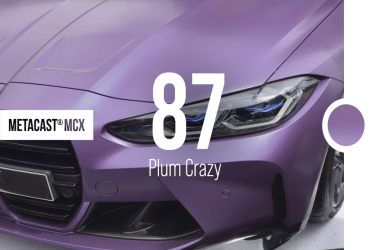 MetaCast® MCX-87 Plum CrazyAutomotive Premium Cast Coloured Wrap Film
Matt | Metallic
- Adhesive
- MetaGlide® Solvent-based Adhesive
- Durability
- Up to 5 years
- Gauge
- 100 micron
-
 Metamark M-PPF® RS Paint Protection FilmSelf-Healing 5 Year TPU Paint Protection Film
- Adhesive
- Solvent-based Acrylic
- Durability
- Up to 5 years
- Gauge
- 165 micron
-
 Metamark M-PPF® M Paint Protection FilmMatt Self-Healing 7 Year TPU Paint Protection Film
- Adhesive
- Solvent-based Acrylic
- Durability
- Up to 7 years
- Gauge
- 125 micron
-
 Metamark M-PPF® XS Paint Protection FilmSelf-Healing 10 Year TPU Paint Protection Film
- Adhesive
- Solvent-based Acrylic
- Durability
- Up to 10 Years
- Gauge
- 165 micron
Receive 10% off your first order
With code
METANEW0224